My Work
Exceptional Customer Service
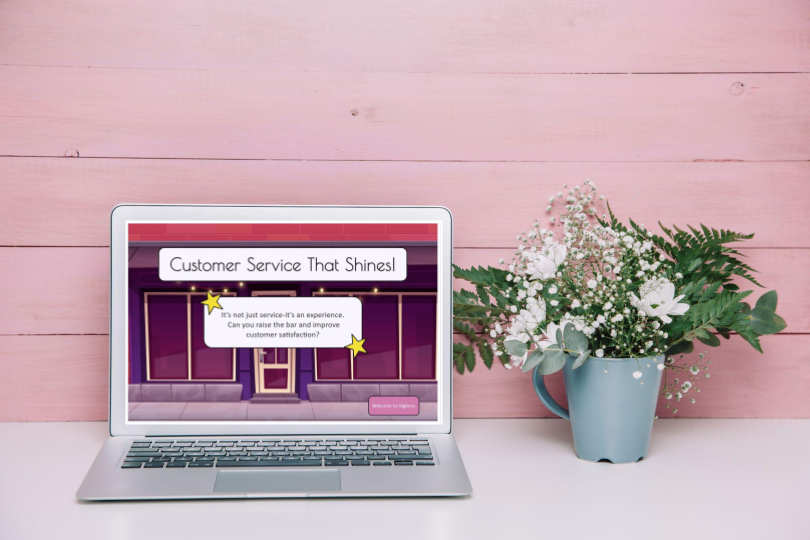
This concept project is a scenario-based eLearning experience designed to demonstrate what exceptional customer service looks like.
Audience: New employees at a fictional department store.
Responsibilities: Instructional design, e-learning development, action mapping, storyboarding, graphic design.
Tools Used: Articulate Storyline 360, Figma, MindMeister, WellSaid Labs.
The Problem
The client is a fictional, family-owned department store striving to survive amid widespread brick-and-mortar closures. This particular store is part of a mall that has completely closed all of its other department stores. This store wants to keep sales up, so they are not the next to close. The goal is to improve customer satisfaction by 12% over a 6 month period as we deliver high quality customer service. To retain their largely older customer base, they focus on exceptional customer service, a strategy well-suited to this demographic.
The Solution
The solution consists of scenario-based e-learning modules that model exemplary customer service, created to guide younger employees in providing outstanding service tailored to the store’s older customers.
My Process
In my current role as a training manager in a department store, I drew on real experiences from the store, consulting with managers and HR to shape scenarios grounded in actual employee and customer interactions.
Action Map
The action map helped me design a more cohesive training program. I added content only if it directly supported those actions. This eliminated long lessons, excessive background info, or “nice to know” content.
The action map highlights the specific actions learners must take to meet the end goal. I built the action map around daily scenarios using my customer service background. Many younger employees know what to do, but lack the real-world practice behind “old-fashioned” customer service
Text-based Storyboard
My storyboard process involved outlining each screen of the eLearning course—highlighting the text, visuals, narration, and interactions—before development began. My design approach was guided by Bloom’s Taxonomy and Gagné’s Nine Events to organize and sequence instruction effectively. The storyboard served as my blueprint that organized content, ensured logical flow and allowed revisions early, ultimately speeding up development and improving the learner experience
I created a text-based storyboard as the project framework to ensure the course has a logical flow, builds knowledge step-by-step, and avoids confusing jumps or gaps.
Visual Mock-up
I used my mock-up as a “snapshot” of the final product. It was intended to communicate the visual direction and user experience so stakeholders can review and approve the look and feel early in the design process. This saved time by confirming their vision before I moved too far into the design.One of the biggest challenges was creating cohesive backgrounds. I sourced the base image first, then used ChatGPT to generate variations in the same style and color palette. My characters came together well, especially the mentor figure inspired by a real employee. I also used my teaching background to include mentor reminders and a review slide at the end of the course.
My style guide was created to define creative decisions up front in order to minimize inconsistencies and prevent changes later in development.
This step was beneficial because it helped me establish the overall look and feel—backgrounds, characters, button colors, and speech bubbles—before moving into full development, ensuring visual consistency throughout the project.
Interactive Prototype
Using the development phase of ADDIE, I built an interactive prototype in Storyline 360 and incorporated voiceovers from WellSaid Labs to collect feedback on the project’s functionality. Building a prototype gave stakeholders, SMEs, and learners something concrete to react to. Instead of guessing how the course will feel, they could see and click through key interactions. This led to better, more accurate feedback. By catching issues early—navigation, visuals, instructional flow, pacing—I was able to prevent revisions later in development when changes take more time. I enjoyed adding voiceovers through WellSaid Labs, which gave the project an extra layer of polish, and I incorporated sound effects using Articulate 360.
This image shows how I brought my scripts to life with natural, studio-quality AI voiceovers using WellSaid Labs.
Full Development
After gathering feedback from my mentor and colleagues, I completed the final project, using the insights from the prototyping phase to streamline the remainder of the build and significantly speed up my workflow—highlighting my efficiency and adaptability.
Results and Takeaways
Because this project is based on a real department store, my experience as a store trainer reinforces my conclusion that strong customer service drives our success. I continue to share this message with new employees and apply it daily on the sales floor. My colleague and fellow instructional designer, Mac Thomas, (Developer Analyst, ISG), had this to say about my project:
Great use of voiceover! The story is well crafted, the characters are strong, and the VO combined with their expressions really held my attention.
My next step is to share my project with store executives to highlight my instructional design skills and demonstrate the value I can bring to the company.